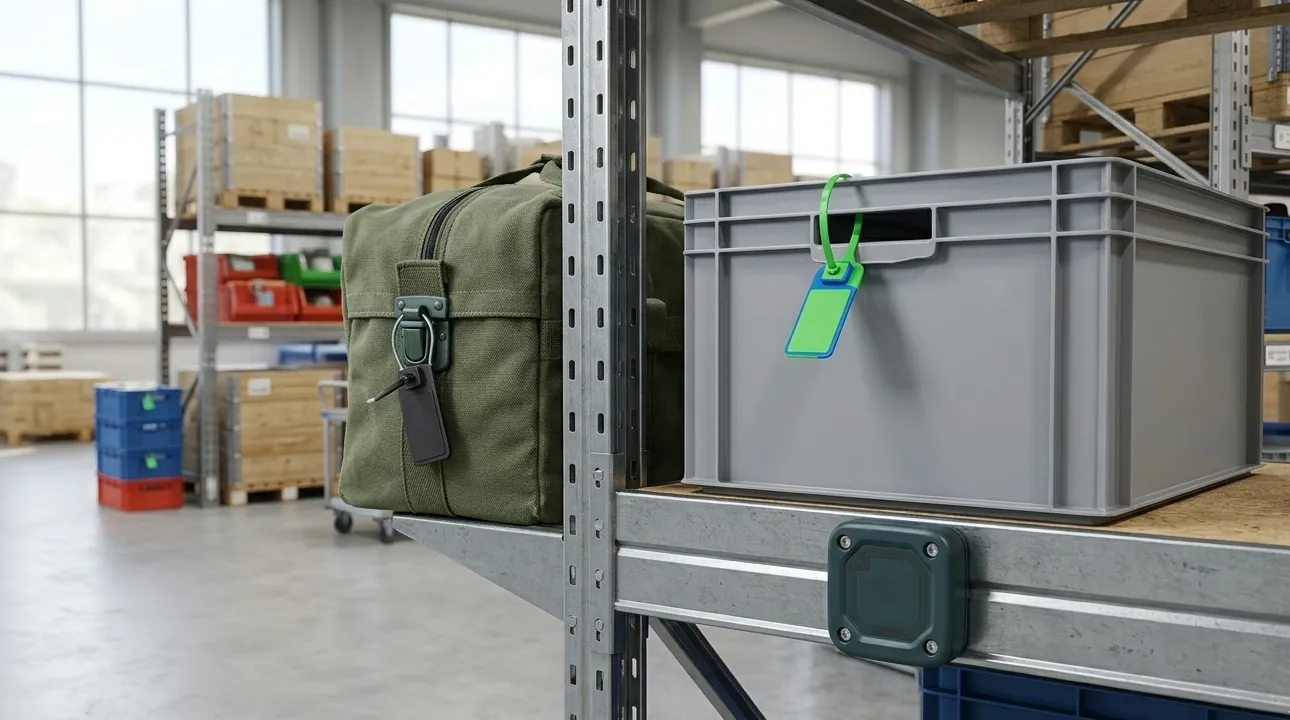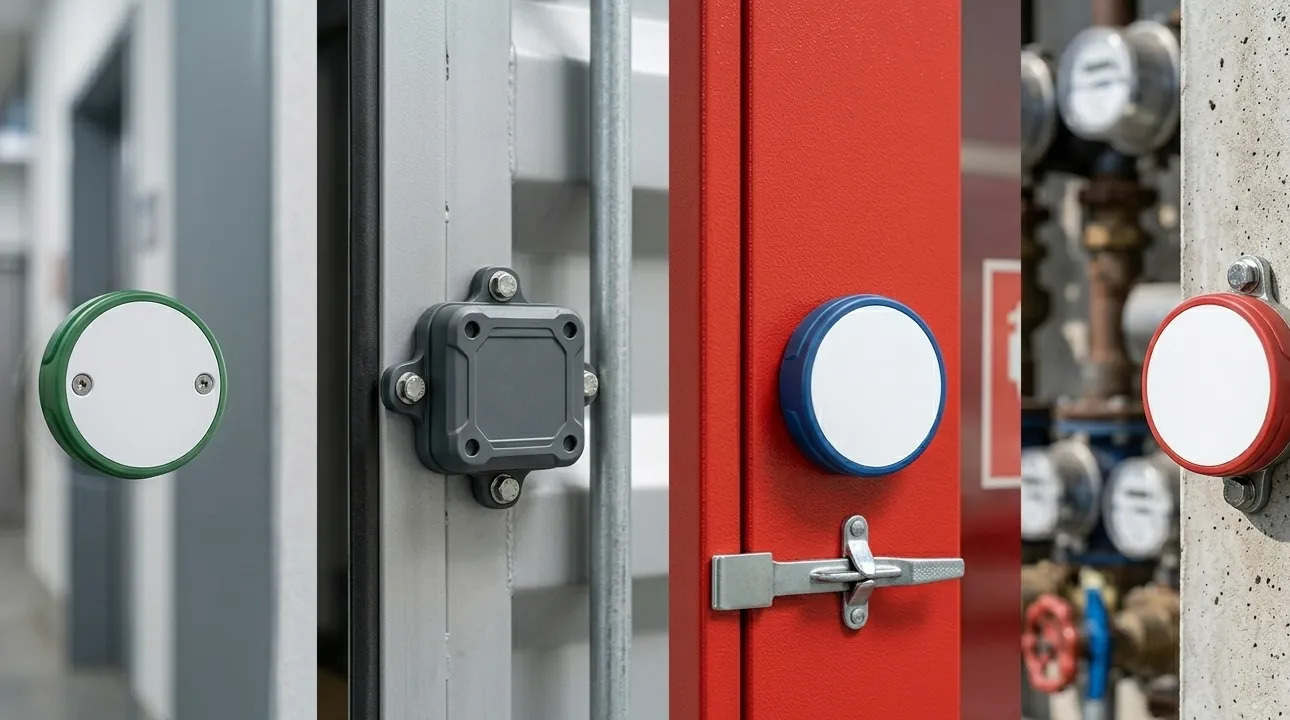

RFID asset tracking for tools and equipment works best when it starts with the physical item, not the software demo. A wrench, laptop, calibration instrument, mold, toolbox, and service cart all need different RFID asset tags because their surfaces, handling, and read workflows are different. If the tag cannot stay attached and readable, the asset tracking system will still produce incomplete records no matter how good the database is.
This buying guide gives procurement teams, integrators, and operations managers a practical way to specify RFID tags for tools and equipment before ordering samples. It focuses on passive RFID tags that connect tools and fixed assets to compatible readers and asset management software — not on selling a complete software platform.
Start With the Asset, Surface, and Workflow
The fastest way to narrow tag choice is to separate three questions:
| Decision point | What to check | Why it matters |
|---|---|---|
| Asset surface | Metal, plastic, rubber, painted metal, curved pipe, fabric case, or cable | Determines whether a standard label, anti-metal tag, flexible on-metal label, or zip-tie tag can work |
| Asset value and risk | High-value tools, calibrated instruments, shared equipment, IT assets, or consumables | Determines durability, serialization, and whether tamper resistance is worth the extra cost |
| Read workflow | Handheld inventory, tool-room check-out, portal scan, bench scan, or close-range maintenance scan | Determines UHF, HF/NFC, read range, orientation, and tag size |
| Environment | Oil, coolant, dust, washdown, impact, heat, outdoor exposure, or chemical cleaning | Determines housing material, adhesive, IP rating, and mounting method |
| Data requirement | EPC only, visible number, barcode, QR code, calibration code, or department code | Determines encoding, printing, and packaging sequence |
Tools and equipment are usually harder than cartons or apparel because many items are metal, small, curved, oily, or handled roughly. A general RFID asset tracking program may include office equipment and IT assets, while a dedicated RFID tool management project often needs smaller anti-metal tags, more durable mounting, and tighter accountability around issue and return.
RFID Asset Tags: Which Format Fits Which Equipment?
There is no single “RFID asset tag” that fits every tool and equipment project. The right format depends on the surface and how the item moves.
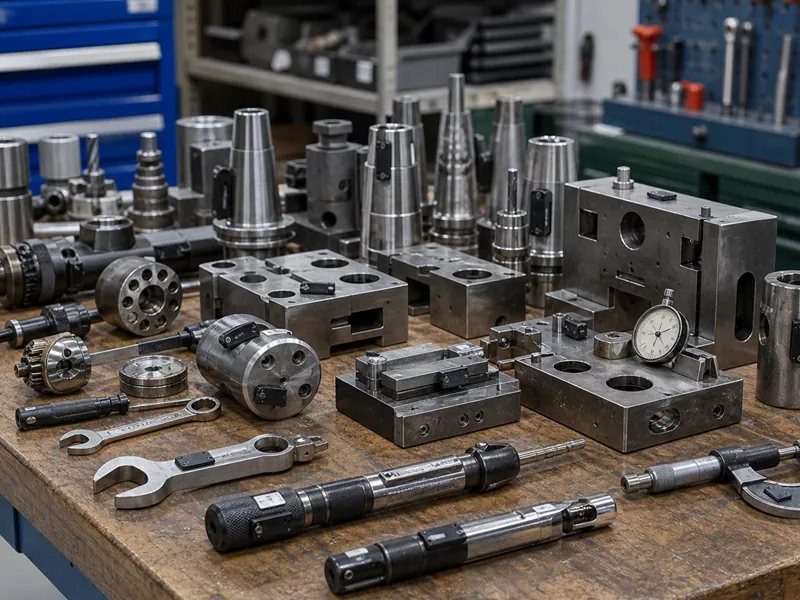
| Asset type | Common tag format | Typical reason |
|---|---|---|
| Steel tools, molds, fixtures, and machines | Anti-metal RFID tag | Standard RFID labels lose range when mounted directly on metal |
| IT assets, server racks, laptops, and storage devices | Flexible on-metal label or slim PCB anti-metal tag | Needs a thin profile plus stable on-metal reads |
| Toolboxes, carts, bins, and kits | Hard anti-metal tag, zip-tie tag, or label on non-metal surface | Mounting area may be larger, but impact and handling matter |
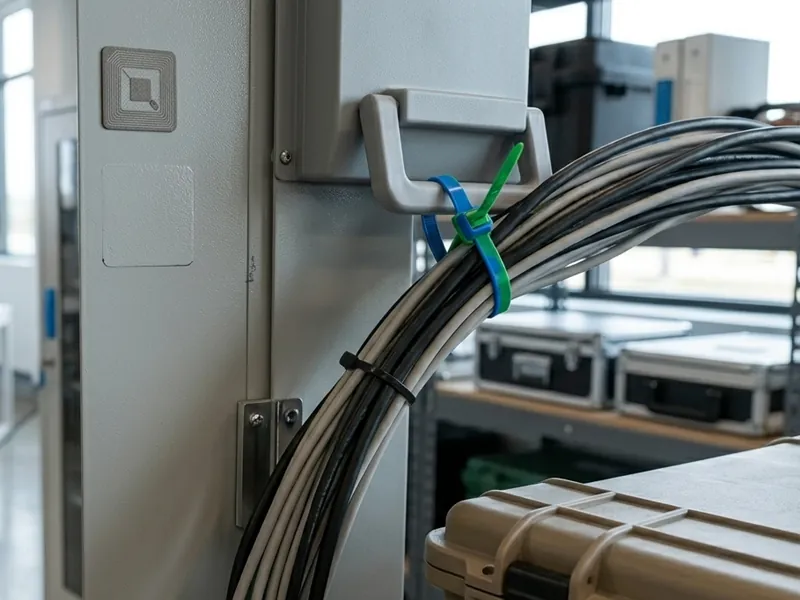
| Cables, hoses, handles, and cylinders | RFID zip tie tag or flexible on-metal label | Curved surfaces and removable attachment may be required |
| Calibration instruments | Compact anti-metal tag with printed ID or QR code | Needs durable identity tied to maintenance records |
| Office equipment and furniture | Standard label, NFC label, or adhesive RFID tag | Often non-metal and lower risk, so rugged anti-metal construction may not be necessary |
For direct metal mounting, ordinary labels are the most common source of failed pilots. Metal detunes the antenna and can collapse read range, which is why metal tools and equipment normally require anti-metal construction. For a deeper explanation of the RF behavior, see Why Metal Asset Tracking Needs On-Metal RFID Tags.
Practical Decision Tree for Tools and Equipment
Use this decision path before asking for a quote:
- Will the tag be mounted directly on metal? If yes, start with an anti-metal RFID tag. If no, a standard label, NFC tag, or zip-tie tag may be enough after testing.
- Is the mounting area small or curved? If yes, compare compact PCB, ceramic, flexible on-metal, or cable-tie formats rather than a large hard tag.
- Will the asset be read in bulk or at distance? If yes, UHF is usually the first choice. If a technician intentionally taps or scans one item at close range, HF/NFC may be simpler.
- Will the tag face oil, impact, outdoor exposure, heat, or washdown? If yes, prioritize housing and attachment before maximum read range.
- Does the asset need a human-readable backup ID? If yes, specify printed serial number, barcode, or QR code in the RFQ, not after the tag is selected.
- Does the asset move between users or sites? If yes, define the encoding format and packaging sequence so scans map cleanly to your asset register.
This tree prevents two expensive mistakes: overbuying rugged tags for simple office assets, and underbuying ordinary labels for metal tools that will never read reliably after installation.
UHF vs HF/NFC for Asset Tracking
Most tool and equipment projects use passive UHF when they need faster inventory counts or longer read range. HF and NFC are still useful when the workflow is intentional close-range verification, such as a technician tapping a tool before maintenance or opening an asset record with a smartphone.
| Frequency option | Best fit | Tradeoff |
|---|---|---|
| UHF 860–960 MHz, EPC Gen2 / ISO 18000-6C | Bulk inventory, handheld room sweeps, tool-room counts, portal reads, metal asset tracking | Requires more attention to antenna orientation, reader setup, and nearby materials |
| HF 13.56 MHz / ISO 15693 | Close-range industrial checks where a dedicated HF reader is already used | Shorter range and lower bulk-read capability than UHF |
| NFC 13.56 MHz / ISO 14443 | Smartphone tap-to-identify workflows, service records, customer-facing equipment | Usually one-at-a-time scanning rather than rapid inventory counts |
| LF 125 kHz | Legacy systems with existing LF readers | Short range and less common for modern industrial asset inventory |
If the project goal is “find every tool in this crib quickly,” UHF is normally the better starting point. If the goal is “scan this one calibrated instrument and open its service record,” NFC may be enough. RFIDEcho can supply tags across different chip options, but the buyer or integrator should confirm reader compatibility before the pilot.
Tool-Room and Equipment Workflows to Map Before Ordering
RFID does not remove the need to define the workflow. It makes a defined workflow faster and more reliable.
For tools and equipment, the most common workflows are:
- Tool-room check-out and return — each tool or kit is scanned when issued and returned, creating a record linked to a user, shift, work order, or department.
- Cycle counts and audits — staff use handheld readers to count tools, IT equipment, or fixed assets across a room, rack, workshop, or vehicle.
- Calibration and maintenance checks — scanning the tag opens or updates a record for calibration due date, inspection status, or service history.
- Job-site transfer — tools and shared equipment are scanned when moved between sites, departments, vehicles, or subcontractors.
- Loss-prevention review — missing assets can be traced to the last known scan event instead of relying only on manual sign-out sheets.
The tag should be specified for the workflow with the strictest requirement. A tag that works for close-range check-out may not be large enough for room-level handheld inventory. A tag that reads well on a bench may fall off in oil, coolant, or vibration if the attachment method is wrong.
Pilot Test Plan: What to Measure Before Bulk Ordering
A useful RFID pilot is not just “can the tag read?” It should prove that the tag stays readable after final mounting, in the real workflow, with the real reader.
| Pilot test | Pass/fail question |
|---|---|
| Final mounting test | Does the tag read after it is attached to the actual tool or equipment surface? |
| Orientation test | Does it read when the tool is rotated, stacked, hanging, or inside a kit? |
| Distance test | Does it meet the required read distance for handheld, portal, or bench scanning? |
| Neighbor test | Does it avoid missed reads or stray reads when similar assets are close together? |
| Durability test | Does the tag survive handling, impact, abrasion, cleaning, heat, oil, or outdoor exposure? |
| Attachment test | Does adhesive, screw, rivet, cable tie, or embedded mounting survive the workflow? |
| Data test | Do printed numbers, barcodes, QR codes, EPC values, and asset-register fields match? |
| Packaging test | Are tags delivered in the same sequence as the asset list to reduce installation errors? |
For a first pilot, test several tag formats across the hardest asset groups: small metal tools, curved metal items, flat IT equipment, toolboxes, and non-metal equipment. The goal is not to prove one tag works everywhere; it is to build a tag map for each asset family.
RFIDEcho Tag Options for Tools and Equipment
RFIDEcho’s role in asset tracking projects is to supply the RFID tags and customization support. The reader, middleware, and asset management software are normally selected by the buyer, integrator, or solution provider.
For tools and equipment, common RFIDEcho options include:
| Need | RFIDEcho tag direction |
|---|---|
| Direct metal mounting on tools, machines, racks, or IT assets | RFID anti-metal tags including PCB, ABS, epoxy, ceramic, flexible, and NFC on-metal formats |
| Slim on-metal labels for IT assets or curved metal equipment | Printable flexible on-metal UHF RFID tag with custom sizes, printing, encoding, and industrial printer compatibility |
| Durable industrial assets needing screws, rivets, or adhesive | Customized durable PCB anti metal RFID tag with FR-4 construction and UHF read range up to 8 m depending on setup |
| Cables, handles, pipes, and assets where adhesive is not ideal | RFID zip tie tags for attachment around loops, cables, cages, or handles |
| Mixed fixed-asset program across offices, warehouses, and factories | A mapped combination of anti-metal, zip-tie, flexible label, and standard label formats |
For larger programs, the important deliverable is often the mapping sheet: which tag format goes on each asset family, what data is encoded, what is printed, and how the tags are packed for installation.
RFQ Checklist for RFID Asset Tracking Projects
A complete RFQ reduces back-and-forth and helps the supplier recommend the correct tag construction.
Include the following:
- Asset list by family — tools, IT equipment, machines, carts, kits, cables, instruments, or office equipment.
- Photos and dimensions — especially mounting area, curvature, surface texture, and available space.
- Surface material — metal type, plastic, rubber, painted surface, powder coating, or mixed materials.
- Read workflow — handheld count, fixed reader, portal, bench scan, smartphone tap, or check-out station.
- Target read distance — realistic distance in the actual workflow, not only maximum datasheet range.
- Environment — indoor/outdoor, oil, coolant, washdown, dust, abrasion, impact, temperature, UV, chemicals.
- Attachment method — adhesive, screw, rivet, cable tie, recessed, embedded, or customer-installed holder.
- Data format — EPC, UID, asset ID, department code, calibration code, barcode, QR code, and visible numbering.
- Reader details — existing reader model, frequency region, antenna type, or software requirement if known.
- Quantity and sample plan — pilot quantity by tag type, then bulk volume by asset family.
- Packaging sequence — whether tags should be packed by asset list, department, location, kit, or installation batch.
For custom projects, contact RFIDEcho with asset photos, your asset list, reader information, target read workflow, printing artwork, encoding format, and pilot quantity.
The Complete Asset and Inventory Tracking Guide
This page is the starting point for tagging physical assets. Each guide below goes deeper on one part of the decision:
| Guide | What it covers |
|---|---|
| RFID for warehouse and retail inventory visibility | Inventory tag selection and read-zone planning for bins, pallets, retail stock, and reusable transport items |
| RFID tracking tags vs asset tags | What the two terms actually mean and how the difference changes your RFQ |
| Why RFID tags are transforming inventory management efficiency | The operational case for moving off manual counts and one-by-one barcode scans |
| RFID package tracking for last mile delivery | Parcel, tote, cage, and seal tagging where items leave your own facility |
| RFID inventory counting: what read accuracy can you actually expect | Realistic count accuracy, missed-read causes, and reconciliation methods |
For the wider system view, see the RFID asset tracking, RFID tool management, and RFID warehouse management solution pages.
FAQ
What are RFID asset tags?
RFID asset tags give tools, equipment, and fixed assets a unique electronic identity that a reader can scan during inventory, check-out, audits, or maintenance. Formats include standard labels, anti-metal tags, zip-tie tags, hard tags, and NFC tags, chosen by asset surface and workflow.
What is the best RFID tag for metal tools?
For metal tools, start with an anti-metal RFID tag. Standard RFID labels usually lose most of their read range when mounted directly on steel or aluminum. Compact PCB, ceramic, flexible on-metal, or epoxy anti-metal tags are common choices depending on tool size, impact exposure, read range, and mounting method.
Can RFID track tools in real time?
Not by themselves. Passive RFID asset tags create identification events only when a handheld, fixed, portal, or bench reader scans them. Real-time location needs suitable reader infrastructure and sometimes active RFID, BLE, or UWB. For many tool rooms, check-out scans plus scheduled inventory sweeps are enough.
Should tool tracking use UHF or NFC tags?
Use UHF when you need longer read range, faster inventory counts, or bulk reads across a room, cabinet, or tool crib. Use NFC when the workflow is intentional one-at-a-time tap scanning with a smartphone or close-range reader, such as opening a maintenance record for one asset.
Can RFID asset tags include barcodes or QR codes?
Yes. RFID asset tags can be printed with serial numbers, barcodes, QR codes, logos, department codes, or calibration marks while also being encoded with EPC, UID, or asset ID data. This gives staff a visual backup when RFID scanning is not available.
How many tag formats does a tool and equipment project usually need?
Most projects need more than one format. A typical deployment uses compact anti-metal tags for hand tools, flexible on-metal labels for IT assets, hard tags for machines and carts, zip-tie tags for cables, and standard labels for non-metal assets. Map format by asset family before bulk ordering.
What is industrial RFID asset tracking?
Industrial RFID asset tracking attaches RFID tags to tools, machines, and fixed assets so a reader can identify each item during inventory checks, check-out, or maintenance. The deciding factor in industrial settings is the asset surface: most equipment is metal, so tags need anti-metal construction to read reliably.
Is RFID equipment tracking the same as RFID tool tracking?
They overlap but are not identical. RFID equipment tracking is the broader term, covering machines, IT equipment, and fixed assets across a facility. RFID tool tracking refers specifically to hand tools, calibrated instruments, and tool-room check-out, which needs smaller anti-metal tags and tighter accountability. Most industrial projects tag both.