01
Checkpoint durability
Patrol tags may be installed outdoors, on walls, poles, equipment, doors, or high-traffic areas.

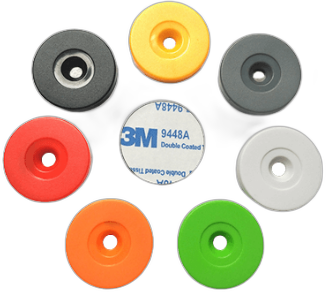
Use durable RFID patrol tags to identify patrol checkpoints, inspection locations, equipment rooms, fire safety points, and property management routes.
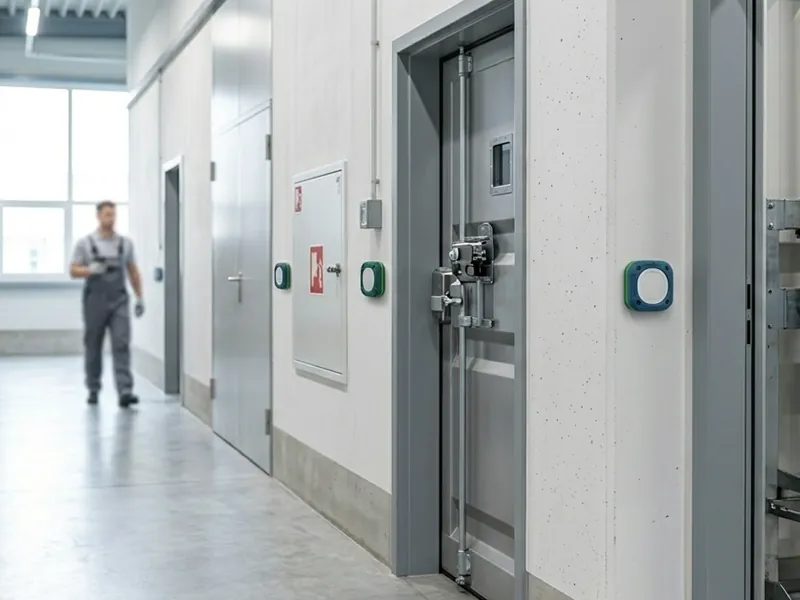
RFID patrol management uses fixed checkpoint tags to help identify where patrol or inspection activity takes place. The tag itself must be durable, easy to mount, and compatible with the customer’s patrol reader or inspection device. RFIDEcho supplies RFID patrol tags for guard tour, security inspection, property management, fire safety checks, utility inspections, and equipment room verification. These tags can be selected by frequency, material, shape, mounting method, protection level, and printed numbering. When used with patrol readers and management software, RFID patrol tags help link each checkpoint with inspection time, location, route, and responsible person records. RFIDEcho’s role is to provide the correct checkpoint tag, not a full patrol system.
Patrol tags may be installed outdoors, on walls, poles, equipment, doors, or high-traffic areas.
Paper records or visual-only checkpoints can make it difficult to verify route completion.
Patrol applications may require LF, HF, NFC, or UHF tags depending on the existing device.
Some checkpoints need screw mounting, adhesive mounting, anti-metal design, or tamper-resistant placement.
The right tag depends on surface material, read distance, durability, mounting method, and required printed or encoded identification.
RFIDEcho provides the RFID tags. The tags can work with compatible RFID readers and management software as part of your existing workflow.
Mount RFID patrol tags at guard tour points, fire inspection points, equipment rooms, or service locations.
Compatible patrol readers or inspection devices can read the checkpoint tag during a route.
Printed location codes and encoded tag IDs can be matched with patrol route records.
When used with management software, tag identity helps support route, time, location, and responsibility records.
Use RFID patrol tags as fixed checkpoints for security routes in buildings, parks, factories, and campuses.
Tagging pointIdentify fire extinguishers, hydrants, emergency exits, alarm points, or inspection routes.
Tagging pointSupport patrol and inspection workflows for residential communities, offices, malls, and public facilities.
Tagging pointTag equipment rooms, machine rooms, electrical rooms, and restricted inspection points.
Tagging pointUse durable checkpoint tags for power, gas, water, telecom, or infrastructure inspection routes.
Tagging pointConnect fixed locations with routine maintenance checks and service verification workflows.
Tagging pointTell us your tagged object, material surface, reading workflow, environment, quantity, and printing or encoding requirements. We will help confirm a practical RFID tag configuration for your application.
How RFID Guard Tour Systems Improve Accountability in Security Patrols
RFID guard tour systems turn checkpoint visits into timestamped records. See how tags, readers, and reports work together for security patrols.
Read guide →RFID Security Patrol Tags: Specs, Durability, and Buying Checklist
RFID security patrol tags compared by frequency, chip, format, and IP rating, with a practical buying checklist for guard tour checkpoints.
Read guide →RFID Access Control and Tamper-Evident Tags
Tamper evident RFID tags for facility access, cabinets, gates, vehicles, and patrol checkpoints, with frequency and RFQ guidance.
Read guide →RFID patrol management is the use of fixed RFID patrol tags mounted at checkpoints — guard tour points, fire safety points, equipment rooms, or inspection locations — so a guard's handheld reader or smartphone can record a timestamped visit to each point during a route.
The frequency depends on your existing patrol reader — LF 125kHz is the most common for legacy patrol wands, while HF 13.56MHz and UHF 860–960MHz suit newer smartphone-based or fixed-reader patrol systems. Tell us your reader model and we will confirm the correct chip.
Yes. Standard patrol tags are rated IP67 — fully dust-tight and protected against temporary immersion — making them suitable for outdoor poles, doors, and equipment exposed to rain and dust, with IP68 marine-rated variants available for harsher sites.
Standard patrol tags are not optimised for metal mounting, so checkpoints on metal doors, cabinets, or poles need an anti-metal variant with a ferrite spacer layer that restores normal read performance on conductive surfaces.
Yes. Patrol tags can be laser-engraved with location names, route numbers, or sequential checkpoint IDs, and factory-encoded so the tag ID matches the location code in your patrol management system.
Each checkpoint tag's encoded ID is logged with a timestamp when scanned, so a completed route produces a sequence of timestamped reads that can be compared against the expected checkpoint order to confirm the full route was covered and flag any skipped points.
Tell us your requirements and we'll reply within 1 business day.